


Facebook Messenger is used by a large number of users every single day. It provides a platform where you can create groups or chat with an individual. Most peoples have concerns regarding privacy. It is sometimes annoying when you want to search for something and click the query box to type anything but it recommends options based on your previous searches. This might be the reason why you need to clear the recent search history. The best way to clear search history on Facebook messenger is to log out from your messenger app but unfortunately, the app does not offer this functionality. Here in this article, you will learn different solutions for how to delete search history on Facebook messenger, using different solutions.
4 Solutions to delete search history on Facebook messenger:
You can easily delete or edit your search history using the messenger app. However, changes will only be made for the device you are using. You can delete your recent search history using a messenger app using android and iPhone too. Here is how it works:
RELATED POST: How to delete Facebook Group permanently.
1. Clear Search History on Facebook Messenger using Android:
- Head to the chats and tap on the search bar that occurs at the top.
- Now, press Edit option that appears in the top right.
- Then, tap on Clear all, next to Recent searches.
2. Delete Search History Using iPhone:
- Head to chats and tap on the search bar that occurs at the top.
- Now, tap on the Edit button that appears in the top right.
- Then, next to recent searches, tap on Clear all.
- Now, click Clear searches.
Related post; How to delete Discord Account.
Clear selective searches
- Head to chats and tap on the search bar that appears at the top.
- Now, select the searches you want to delete and tap on the cross icon X, below Recent searches.
3. Clear Search History on Facebook Messenger Using Browser.
If you don’t want to install a Facebook app you can still clear search history on Facebook messenger using your computer’s browser. This is also applicable to Macs.
Here is how this solution works:
- Search Facebook.com in your browser and log in.

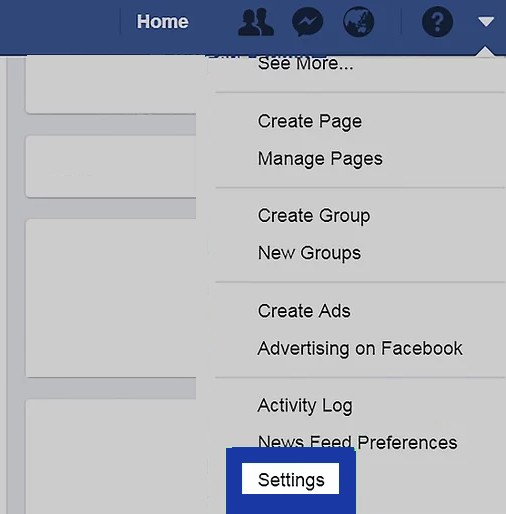
- Now, tap on the menu option to open a drop-down menu.

- Tap on Settings.
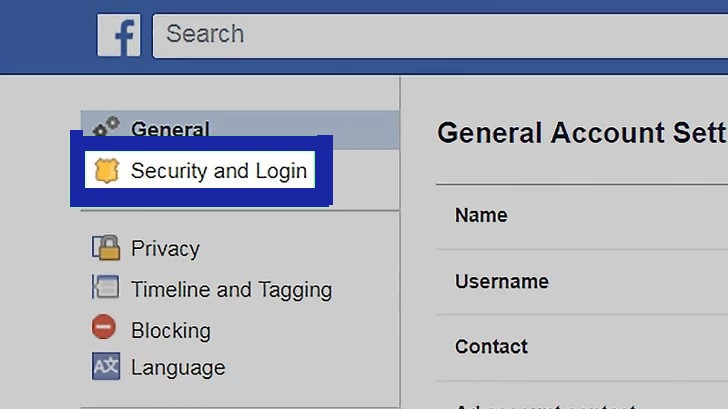
- Now, in the top right, click on Security and log in.
- Now locate the device in which you are using your messenger app in the where you are login tab.
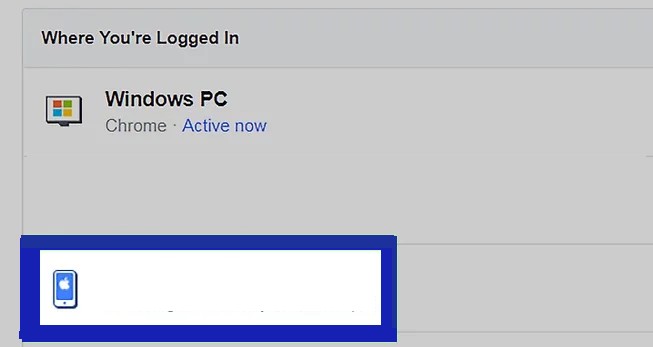
- You’ll see the three vertical dots icon, which appears on the right to open a new menu.

- Now, choose Sign Out.

- By doing this you will sign out of your profile on the device. Now you can check if your recent search history is cleared or not, by signing in back into Messenger.
4. Clear Recent searches on the Facebook messenger app
Related Post: How to Recover Data after Factory Reset.
Messenger does not offers the “Sign out” button, you have to use the Facebook app to end your login session. If you don’t have the Facebook app, you can download it from the Apple Store for iPhone and from the Play Store for Android. The only way to do this is by forcing Messenger to sign you out, which can be done from both the Facebook mobile app and Facebook.
Follow these steps to Clear your search history.
- First, open the Facebook app.
- Now, open the menu by clicking on the three horizontal lines icon, appear at the top if you are using an android, and appear at the bottom of the screen if you are using iPhone.
- Now, tap on Settings.

- Click on Account Settings.

- Now, tap on Security and Login
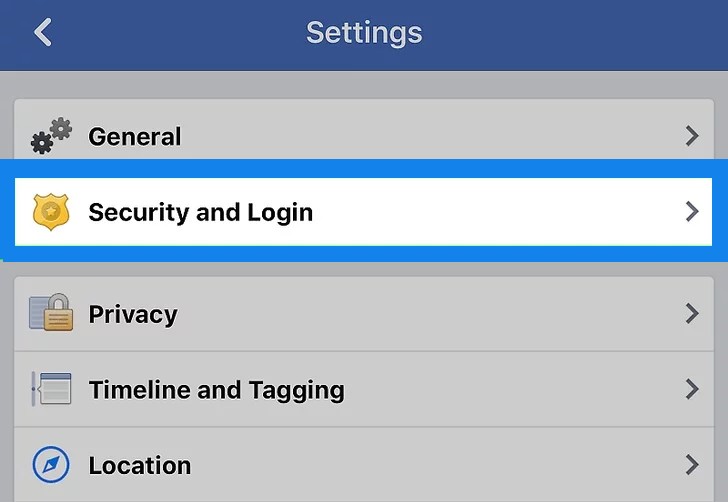
- Click on Where you signed in.
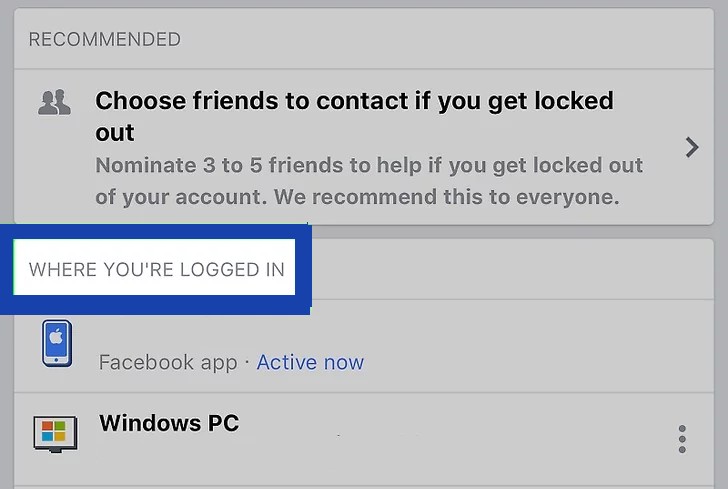
- Under the “where you logged in” tab locate the phone in which you are using the messenger app.
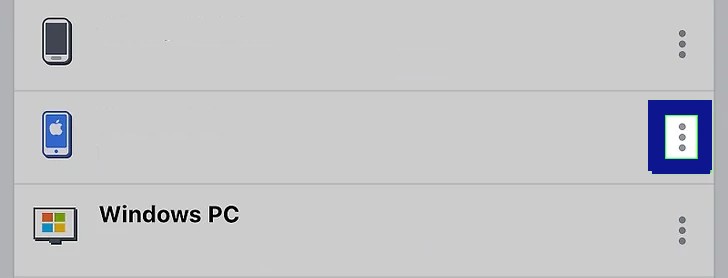
- Now search for “Messenger” under your device name.
- Once you located Messenger, tap on the three vertical dots icon appears on the right side to open a new menu.
- Now, tap on Log out, to sign out of the profile you have signed in to with your phone.

- Now, sign in again using messenger to recheck if your recent search history is cleared or not.
Related Post: HOW TO RECOVER DELETED PHOTOS.
Bonus Tip!
There is one more method by which you can clear search history on Facebook messenger easily if you find the above-mentioned solutions annoying or time-consuming. You just have to uninstall both, your Facebook app and your messenger app. After you install these apps again, your recent search history will be cleared.
I hope now got how to delete search history on Facebook messenger. However, if still you face any difficulty in clearing your messenger’s search, or you have some other interesting trick let us know in the comment section below.

2 Comments
I just deleted my search history on Facebook messenger! This was a lifesaver!
Pingback: How To Create a Poll On Facebook: Complete Guide