

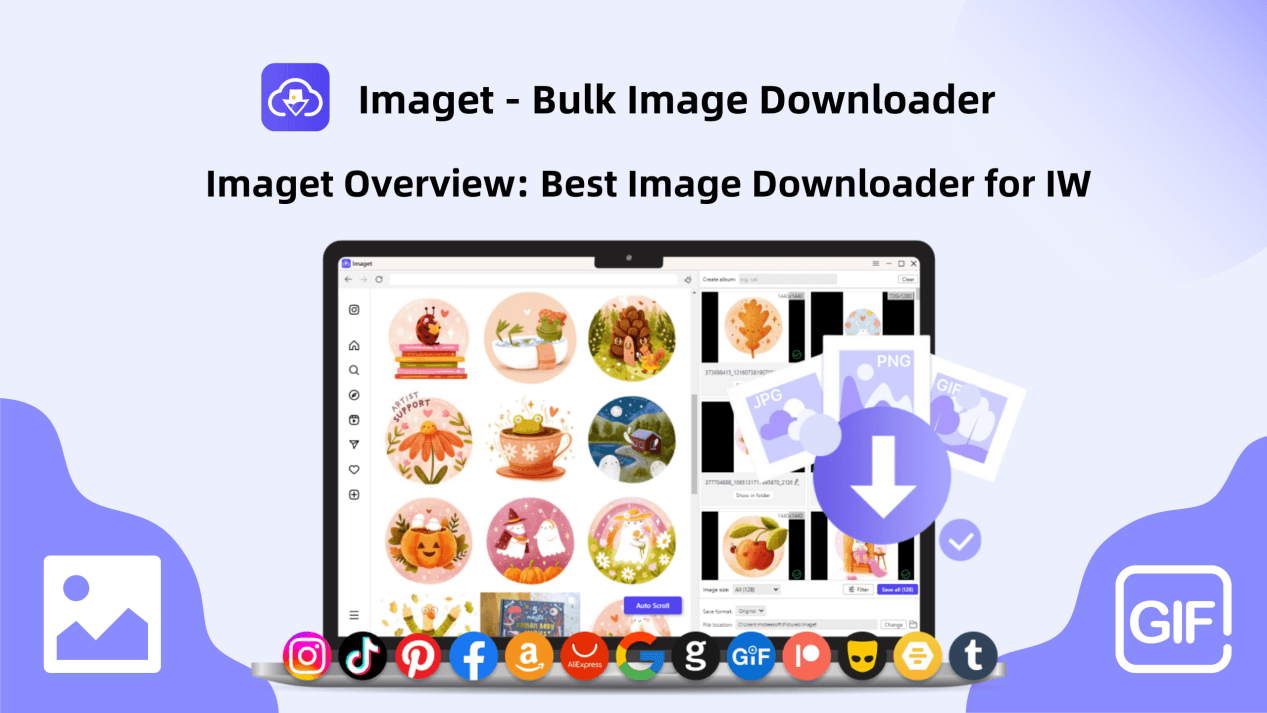
In the dynamic realm of social media, images serve as powerful conduits of expression, communication, and storytelling. Platforms like Instagram have transformed the way we engage with visual content, offering a plethora of captivating images across diverse themes and genres. Yet, the process of downloading images from Instagram’s web interface can be laborious and time-consuming, especially when dealing with multiple photos. Enter Imaget, a specialized software solution designed to simplify and streamline the image downloading process from Instagram web. In this comprehensive overview, we delve into what Imaget is, what sets it apart as the best image downloader for Instagram web, and how to effectively utilize its features to download Instagram web images.
What is Imaget?
Imaget is a versatile bulk image downloader meticulously crafted to facilitate the seamless downloading of images from all online sources, including Instagram, Pinterest, Facebook, Twitter and any other platforms. It caters to a diverse audience comprising individuals, businesses, and content creators who seek an efficient and user-friendly solution for gathering and archiving images from the platform. By automating the image retrieval process and offering advanced customization options, Imaget empowers users to curate, manage, and utilize Instagram images with unparalleled ease and efficiency.
What Makes Imaget the Best Image Downloader for IW?
Before using Imaget, let’s dive into it’s key features that make it the best downloader for Instagram web:
- Download images in bulk, eliminating the need for manual downloading of individual images.
- Support downloading from all websites, including social media platforms, image hosting and searching websites, creator content websites, forums, etc.
- Provide fast download speeds even when downloading a large number of images simultaneously.
- Support downloading from password protected websites via it’s online built-in browser.
- Auto-scroll page to load all images instead if manually scrolling.
- Allow to download both thumbnails and full-size images.
- Allow to create local albums and rename images to enhances the file management.
- Offer users the flexibility to customize download options such as image quality, resolution, and download location.
- Provide continuous updates and reliable customer support.
How to Use Imaget to Download Instagram Web Images in Bulk?
By following these steps, you can efficiently use the Imaget downloader to download Instagram web images in bulk, saving you time and effort in gathering visual content from the platform.
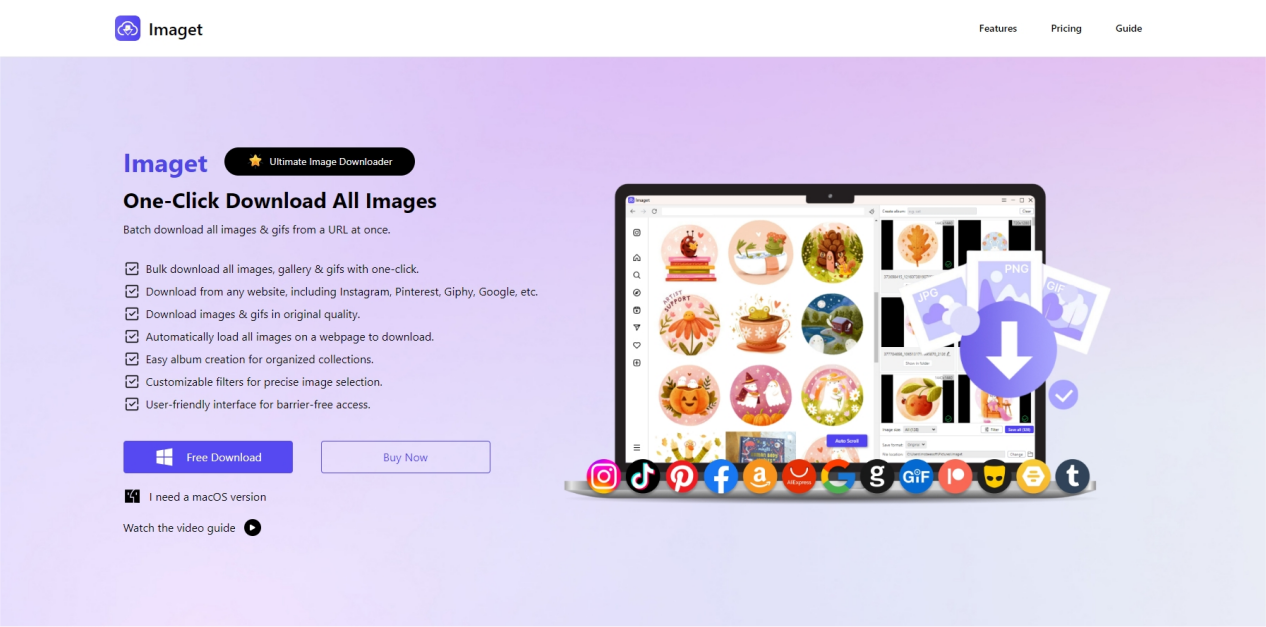
Step 1: Visit the official Imaget website, download and install it suitable for your operating system (Windows or Mac).
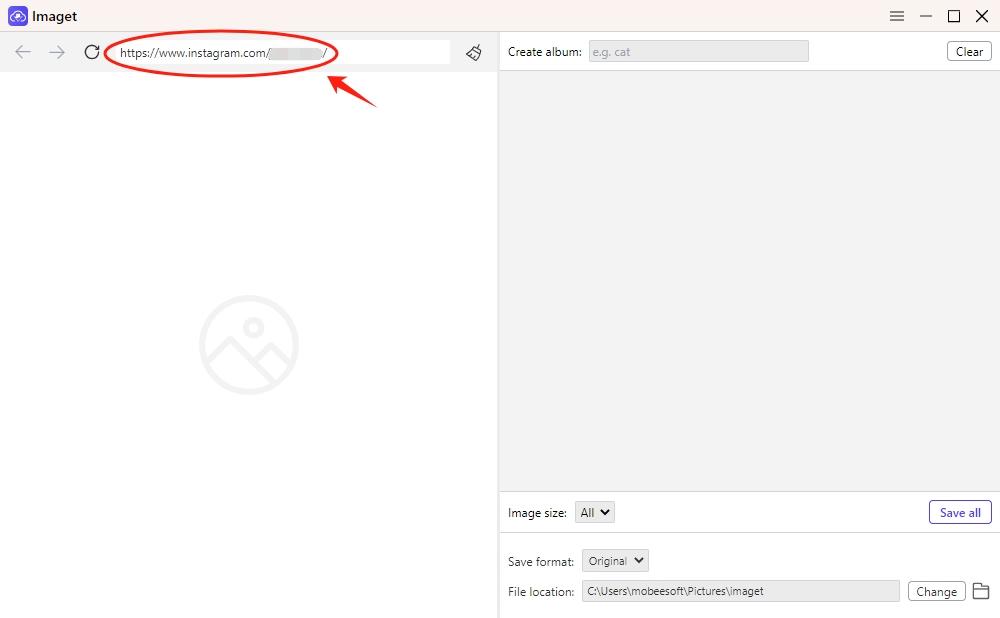
Step 2: Launch Imaget, and navigate to the desired Instagram profile, hashtag, or feed containing the images you wish to download with Imaget’s built-in browser.
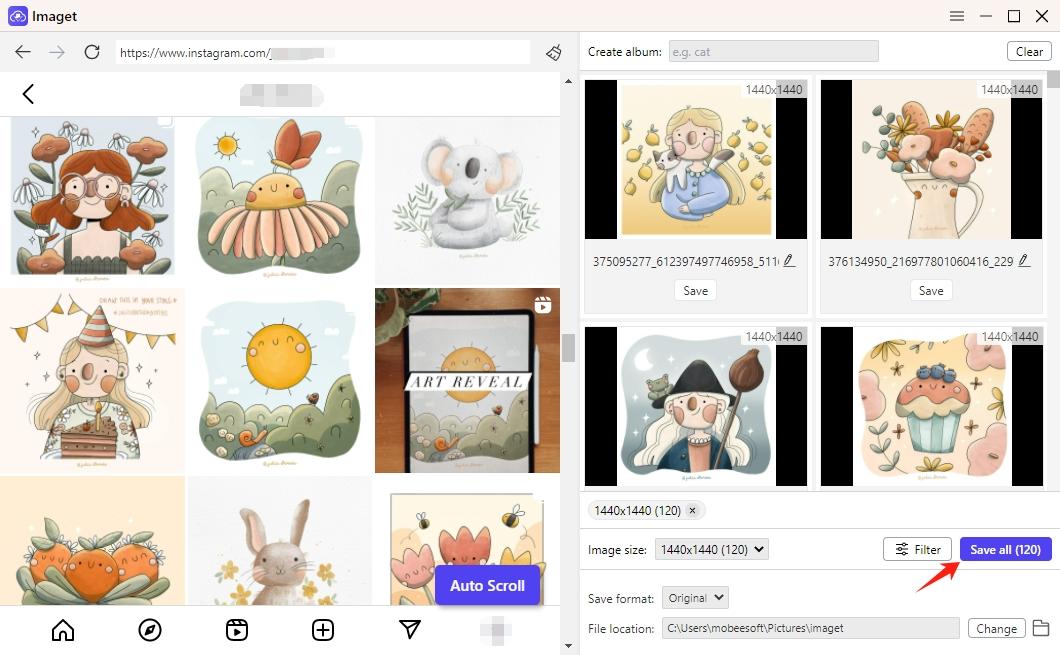
Step 3: Click the “Auto Scroll” button, and Imaget will automatically scroll the page to load all thumbnails and full-size images on this Instagram page.
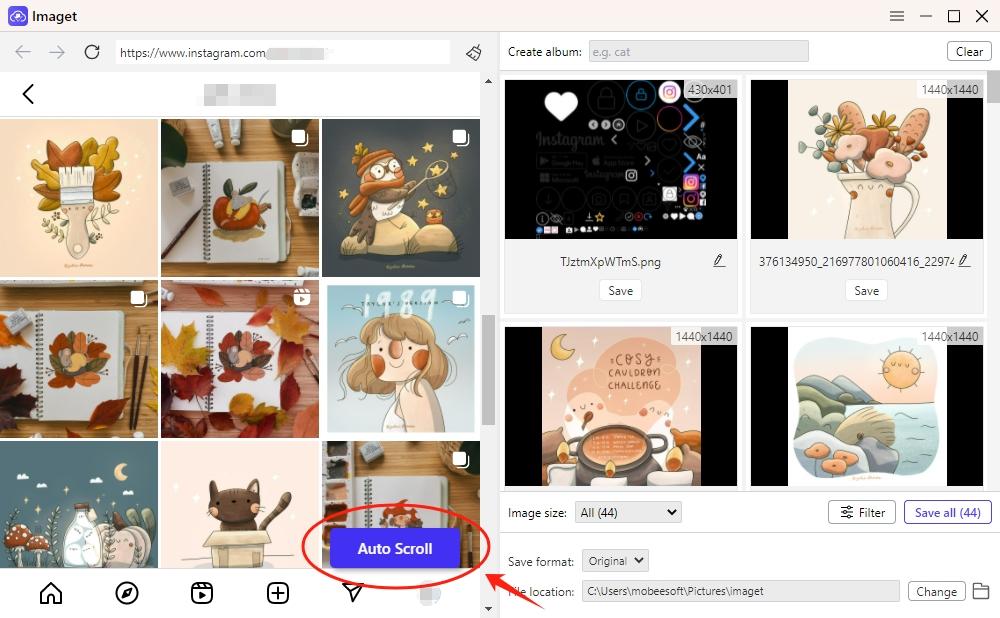
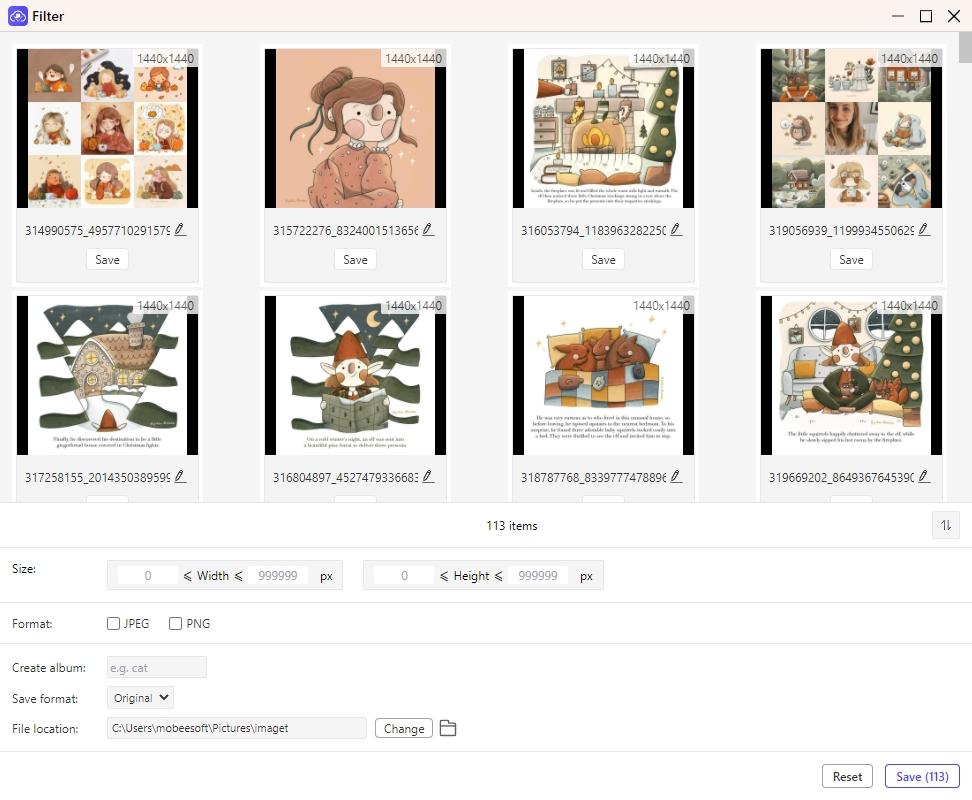
Step 4: Select the images that you want to download from IW, and customize download settings, including image quality, download location, and file naming conventions, according to your preferences.
Step 5: Click the “Save All” button and Imaget will start downloading all the selected images from the specified Instagram web page.
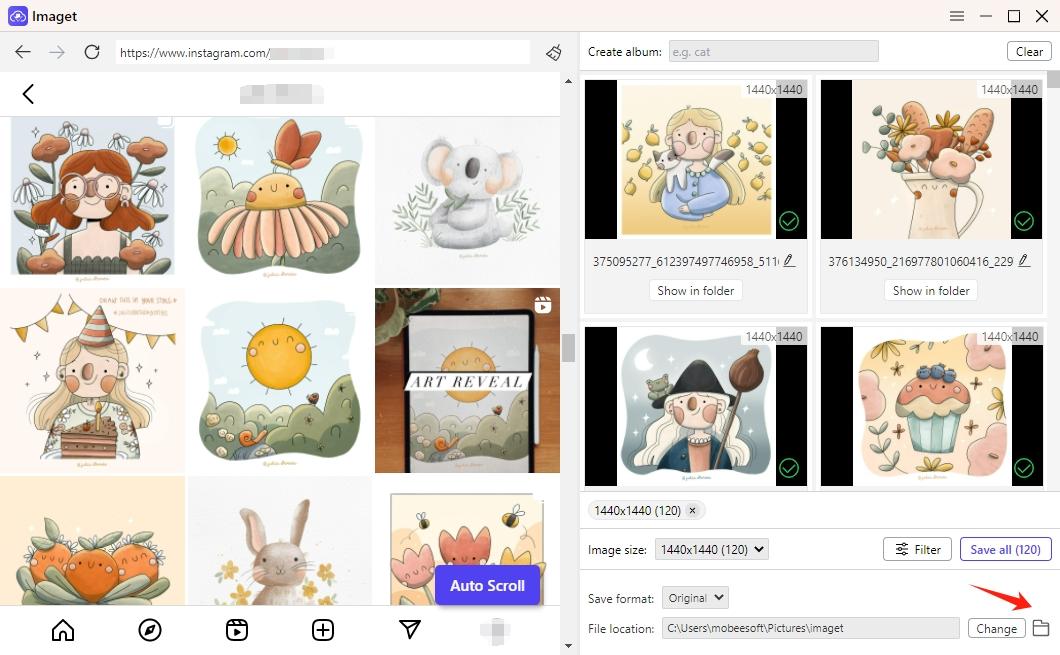
Step 6: Once the download process is complete, click the “Open folder” icon to find and manage all the downloaded images on your computer.
Imaget Pricing
Imaget offers a trial version with limited functionality, allowing users to download 50 individual images or use the bulk download feature 3 times before making a purchase. The paid version of Imaget provides access to all features and capabilities without any restrictions. You can pick one of the plans to upgrade your account from the trial version to the paid version:
- 1-Month Plan: For $4.95 / month, you can gain access to all Imaget features on a single PC.
- 1-Year Plan: For $19.95 / year, you can gain access to all Imaget features on a single PC.
- Lifetime Plan: For $29.95, you can gain lifetime access to all Imaget features on a single PC.
- Family Plan: For $39.95, you can gain lifetime access to all Imaget features on 5 PCs.
FAQs
- Is Imaget free to use?
Yes, Imaget offers a trial version with limited functionality. To unlock the full range of features, users can purchase a license for the software.
- Does Imaget support downloading videos from Instagram?
No, Imaget focuses on downloading images and GIFs.
- Can I customize download settings with Imaget?
Yes, Imaget offers various customization options, including image quality, download location, file naming conventions, and more. Users can tailor these settings to suit their preferences and requirements.
- Does Imaget provide customer support and regular updates?
Yes, the developers of Imaget are committed to providing users with reliable customer support and regular software updates. Updates ensure compatibility with the latest changes to the Instagram website and address any bugs or issues that may arise.
- Does Imaget offer a refund policy?
Yes, Imaget offers a refund policy within 30 days after purchase.
Check: PFPMaker COM
Conclusion
In essence, Imaget emerges as the ultimate solution for individuals and organizations seeking a reliable, efficient, and user-friendly image downloader for Instagram web. Its array of features and customizable options empower users to effortlessly gather, manage, and utilize Instagram images for various purposes. By simplifying the image downloading process and offering unparalleled convenience, Imaget exemplifies excellence in its domain, cementing its status as the best image downloader for Instagram web, suggest downloading it and giving it a try.
