


Is it a pretty common question asked by iPhone users who want to shop on Amazon? The service of using apple pay was not available on amazon. So, any iPhone user was not able to make money transactions. So it’s important to know amazon users how to use Apple Pay on Amazon on iPhone.
However, now few of the vendors on amazon have included the service of apple pay in their payment methods. But a large community of vendors still does not accept apple pay. This entire chaos does create a pretty bad situation for IOS users. As they are not able to shop for anything of their liking from amazon.
But apple cash and apple card are the other two alternatives that are helpful as payment methods for iPhone users. In this article, you will explore much more about how to use apple payment methods on Amazon. A step-to-step guide will be provided so that you can understand every bit clearly, and profoundly.
Related Post: How To Make Hotspot Faster on iPhone- Quick and easy steps
A Brief Introduction to Apple Pays
Apple pay is a payment mechanism that allows you to make digital payments through your iPhone. It is a part of a wallet application that makes digital transactions and eliminates the need for physical debit or credit cards. You can make online purchases through your virtual apple pay card by entering the card details of your physical credit or debit card.
To make a payment transaction from apple pay. However, You first have to authenticate your identity for security measures. You can do that by using a fingerprint scanner, a face ID, or a PIN. Furthermore, You may also hear of apple cards or apple cash, now these terminologies are pretty similar to apple pay. As we know, Apple pay is a closed online payment operation used only by banks and vendors that have been approved by their administrators.
Apple card is pretty similar to credit card, which is mostly used on digital platforms. You can access the card from your mobile phone or PC. On the other hand, apple cash is a built-in feature of apple pay that includes giving, receiving, and sending requests for money using iMessage. It is just like a reloadable debit card in your apple wallet. That is usable on various IOS devices such as iPhone, apple watch, iMac, and iPad.
Apple pay is still not available on the Amazon checkout system. However, you can use apple cash and apple card as they both are acceptable on amazon.
Related Post: Does Safeway Take Apple Pay? Updated Guide About Restrictions
How to Use Apple Pay on Amazon on iPhone
Amazon is a broad app that is being used worldwide, mainly for shopping. Now, millions of people access the site from different parts of the world. So, Amazon has a wide spectrum related to its paying method. The customers can do the payment without any kind of trouble or limitation.
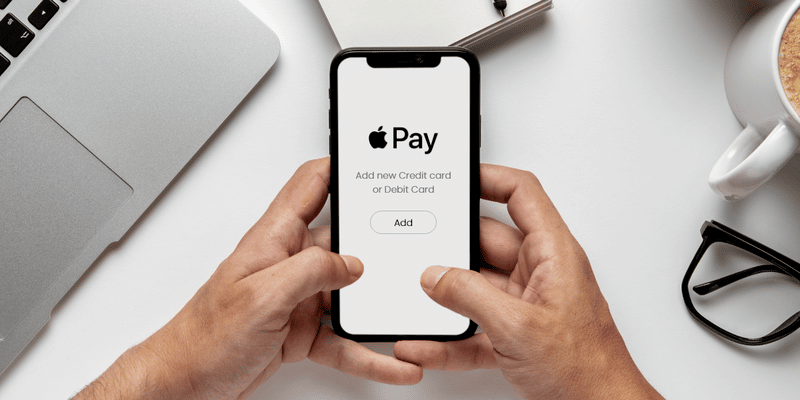
In the previous time, the services of using apple pay on amazon were not available as the vendors do not enable this feature. But now, Amazon is allowing customers to use apple pay on iPhones. As they have expanded their premises and made new adjustments.
But still, a large population of vendors does not accept apple pay. It is quite frustrating that you cannot use apple pay directly on amazon web. However, there is a way to use apple pay that is completely legal and verified.
Steps to use Apple Pay
Here are the steps through which you will learn how to use apply pay on amazon on iPhone:
- To access apple, pay services, you first have to open the Amazon app for the application of the payment method.
- Then you will click the account icon at the bottom of the screen. So, that you can view the account payment options
- Tap on the payment option that you will see right afterward you have to tap on the account icon.
- Now, you will go to the wallet tab available in the payment options. And tap on the +add which you will see to the right of cards and accounts in a small text.
- Choose the option of adding a debit or credit card as your payment method for any purchase.
- Now you will add the card information to the block that will appear in front of you. If you do not know the number of your apple card. Then you can go to the open wallet. Click on the credit card icon on the right on the upper side to copy the number. Then return back to the amazon app, to paste the number.
- Once you have added all the information needed by the site. You will check the box option next to set it as the default payment method. It will enable you to use your apple card every time automatically without any revisitation.
- Click on the save option. You will receive a message that the payment method you selected was successfully added to the account.
- Next time, when you shop from Amazon. The apple card that you have set as default will automatically check out the payment.
Related Post: Send or receive money using Whatsapp payment method
Through this simple and easy-to-do method, you will be able to add your apple pay services to amazon without any kind of trouble. You can easily make payments using your iPhone or any other IOS device without being unauthorized.
The Closing Remarks
Amazon is a highly grossing shopping website that has been spread out all over the world. Now, both android and apple users are using the website to purchase a bundle of things. But for iPhone users, there is a restriction in the payment method section. As most Amazon vendors do not accept apple pay for bill checkout purposes. It does raise the question of how to use apple pay on amazon on the iPhone?
However, certain methods include the usage of apple cash and apple card to go through the payment method on Amazon. Doing your payments, through this alternative way is completely acceptable and legal so there is no need to get worried about it. You just have to pull off the right method to make your payment method through an apple card. The most precise and easy method has been provided in this article for your help.
