


Apple’s technology game is very strong and unstoppable. Every year not only loyal consumers but also tech lovers remain curious about what and when apple is going to announce its latest technology. You’re probably only using one camera at a time. Imagine shooting video with two, or even someday three or four simultaneously. Apple’s new invention allows you to use the multiple camera recordings simultaneously and It seems like a legitimately useful thing to have for sure. Apple has previewed the latest version of Filmic’s DoubleTake app. In a gripping demo, Apple reveals one of its own kinds of technology. Do you have this question, How to use the front and back camera at the same time? We have some amazing information about the latest DoubleTake app which allows multi-camera on your iPhone.
DoubleTake app’s features and compatibility

This app has additional features to edit professional videos for the iPhone. However, this technology is used by a third party application by FilMic’s DoubleTake app. This DoubleTake app can record from multiple cameras simultaneously. The DoubleTake app is free. This new iPhone app allows you to capture high-quality video streams using both front and back cameras simultaneously. Moreover, the good news is that coexisting multi-camera sessions are not only available on iPhone 11. IPhone XS, iPhone XR, and 2018 iPad Pro are compatible with this feature.
Multiple modes of multi-camera DoubleTake app
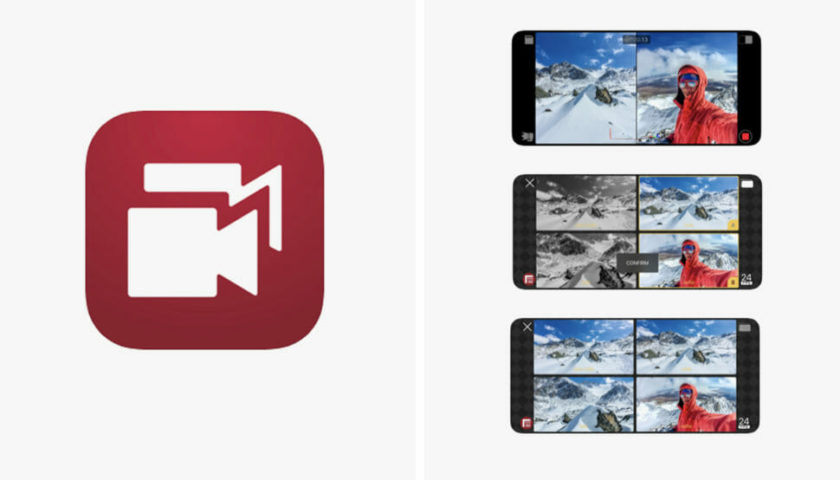
As your phone is studded with multiple cameras, so there are different modes setup in FilMic’s “Doubletake” app. You can use 2 cameras of your own will. With DoubleTake app, you can shoot 1080p videos at the same time, either in landscape or portrait mode, using any of the cameras in the iPhone 11 Pro Max, 11 Pro, 11, Xs Max, Xs., such as front and back camera recording, or shoot with the new ultra-wide and standard wide cameras for additional coverage.
To facilitate the selection of the camera, the application contains a view of the camera picker.
In Shot / Reverse Shot mode, you can record two 1080p clips with front and rear cameras simultaneously. This will generate 2 windows like split-screen, you can also switch between in editing. This mode is convenient for capturing the interaction between two persons like you have experienced in Instagram live chat.
In the versatile lens mode, you can tape with any two rear cameras available simultaneously and create an In-Picture Image Display. In the picture, the image can be moved inside the main video and its size is adjustable just like Whatsapp video chat.
User Interface
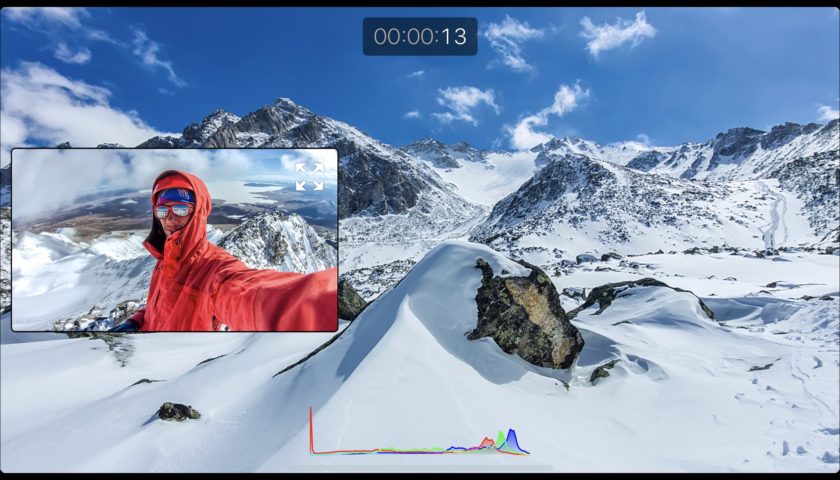
If you are curious to know that how will you use this app or how its user interface is. Don’t worry user interface is quite simple. You can easily do multiple camera recordings using this app.
How to use DoubleTake app

On each of the four corners, there are four symbols. In the upper left, there is an icon available that take users to the already recorded videos. You can press the top-right icon to choose the video mode you wanted. I have already mentioned 4 different video modes above. There is a simple recording button of red color you are already familiar with, in the lower-right. In the lower-left, there is the lens icon, which allows you to select four cameras If you are using iPhone 11 Pro.
You simply have to click the lens button to select two lenses of your choice. Select the next frame rate, best in between 24 and 30. Then hit the top-right icon to select from three shooting modes.
Now you have an idea of how this unique app affiliated with unique features allows you to use your multi-camera at the same time. This question of how to use the front and back cameras at the same time is history now. Use your front and back camera at the same time and experience what you have never experienced before. So, share your experience and queries with us in the comment section below.
We see a handful of early and obvious use cases centered around news, journalism, interviews, and vlogging. Another use-case is a product-centric production (think unboxing video or product review), where both the influencer and the item are featured prominently. Accelerated production time aside, what we find more exciting are the new media formats heretofore unimagined. In the first case, as Sean Baker mentioned in the keynote (in September 2019), filmmakers can increase their coverage per shot by capturing two videos with different fields of vision at the same time.
— Filmic creator Neill Barham to Filmmaker magazine
