

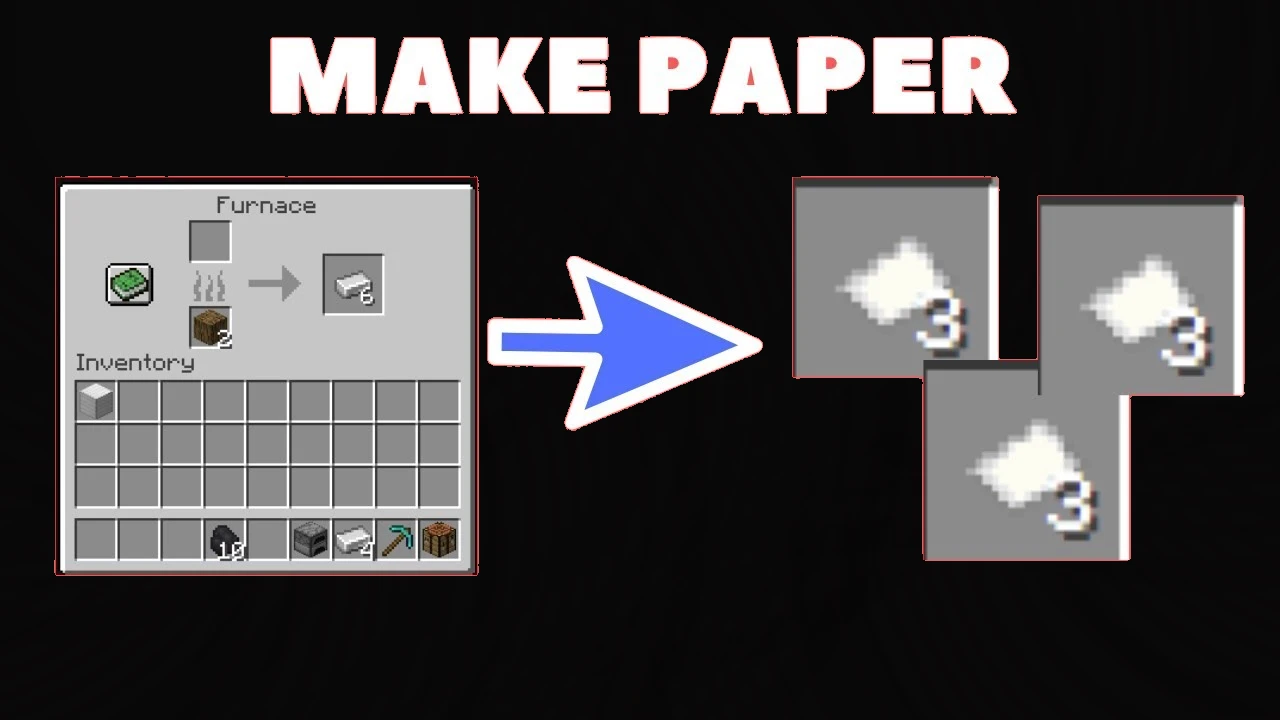
Minecraft, the popular sandbox game, offers a vast world full of creativity and adventure. To thrive in this pixelated universe, you’ll need to master the art of crafting. One essential material you’ll often come across is paper. In this blog post, we’ll guide you through the process of making paper in Minecraft, explore its uses, and advantages, and address some frequently asked questions.
How to Make Paper in Minecraft?
To create paper, you’ll first need to gather sugar cane. Sugar cane is a tall plant commonly found near bodies of water, such as rivers or lakes. Follow these steps to make paper:
Also Read: How to Make, Craft, and Build Pickaxes in Minecraft
Step 1: Gather sugar cane:
Locate and harvest sugar cane stalks by breaking the blocks at the base. You can find sugar cane growing in clusters, typically near water bodies.

Step 2: Craft sugar cane into sugar:
With your collected sugar cane, open your crafting table and place it in any of the nine slots. This process will convert the sugar cane into sugar.
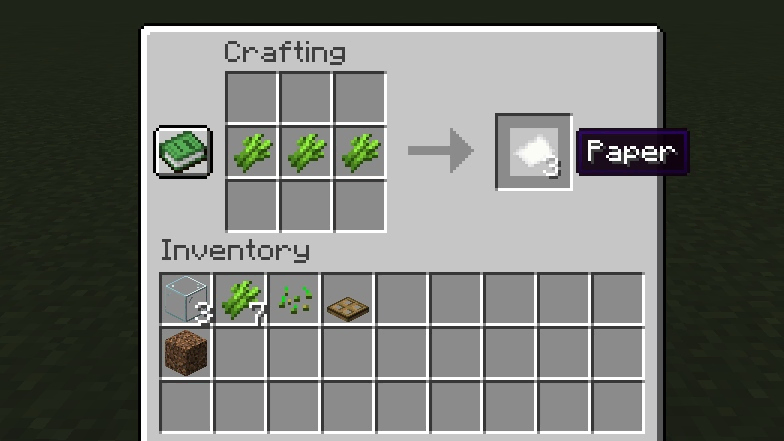
Step 3: Craft sugar and three sugar cane into paper:
Arrange three sugar canes across the bottom row of the crafting table and place the sugar in the center slot. Upon completion, you will receive three pieces of paper.
Step 4: Collect the paper and store it in your inventory:
Once you’ve crafted the paper, simply drag it into your inventory to collect it.
How to Use Paper in Minecraft?
Now that you have paper, let’s explore its various uses in Minecraft. Here are a few ways you can use paper in Minecraft:
Crafting Maps:
Paper is a vital component for crafting maps. Combine it with a compass and you’ll be able to create a detailed map of your surroundings, aiding in navigation and exploration.

Writing Books:
Combine paper with leather to create a book. This opens up opportunities for creating written works, enchantment books, and bookshelves. Writing books can also be used to share stories or create guides for other players.

Cartography Table:
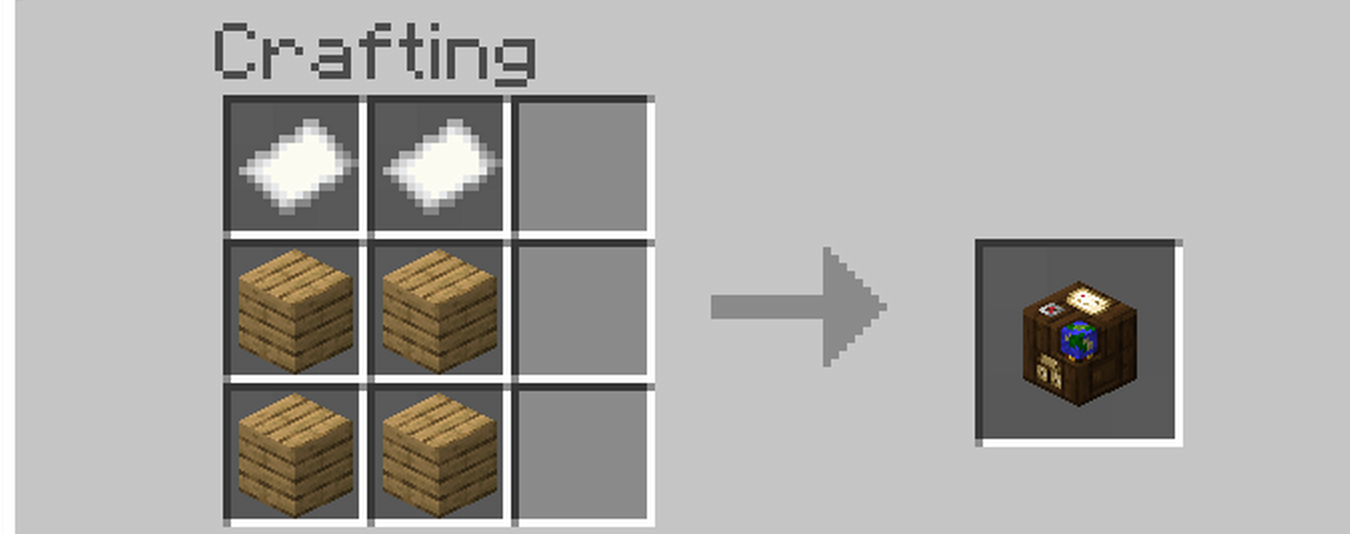
Paper is used in conjunction with a cartography table to create map clones, zoomed maps, and expand maps, allowing you to chart out unexplored territories.
Also Read: Custom Skin Compiler For Minecraft Convert Images to Skin
Advantages of Paper in Minecraft
Paper holds several advantages and benefits within the Minecraft world, once you have paper at your disposal, a world of possibilities opens up. Crafting maps becomes essential for exploration, allowing you to navigate your surroundings with ease. Combine paper with leather to create books, which can serve as vessels for knowledge, enchantments, and even decorative bookshelves.
For those who crave cartographic adventures, paper plays a significant role in map-related activities. Utilize the cartography table to clone maps, zoom in on specific areas, or expand your maps to cover uncharted territories. The power of paper in Minecraft cannot be underestimated.
One of the notable advantages of paper is its renewable nature. With sugar cane being a renewable resource, you can establish sugar cane farms near water sources. By carefully managing your sugar cane crops, you ensure a steady supply of paper for all your crafting needs.
The versatility of paper is another key advantage. Its applications extend beyond practical purposes. Embrace your creativity and use paper to write books, share stories, or even create player guides. The written word holds immense power within the Minecraft community, and paper provides the canvas for your ideas.
When interacting with villagers, paper becomes a valuable trading commodity. Villagers often desire paper and are willing to offer valuable items in return. Stockpiling paper can open doors to rewarding trades and help you acquire rare and useful resources.
Also Read: How do I craft a diamond Pickaxe Minecraft
Conclusion
Paper is an invaluable resource in Minecraft, serving as a key ingredient for maps, books, and other useful items. By following the crafting process described above, you can easily obtain paper and unlock its potential in the game.
Happy crafting!
Frequently Asked Questions
A: No, paper cannot be found in chests or villages. You’ll need to craft it using a sugar cane.
A: No, paper can only be crafted using sugar cane in Minecraft.
A: Placing sugar cane near a water source and using bone meal on it can accelerate its growth.
A: Unfortunately, in Minecraft, there is no way to recycle paper-based items. However, you can use them for various purposes, such as trading or enchanting.
