


Spotify is one of the most followed music streaming services, offering access to over 30 million songs online. On Spotify, about 71 million paid users and 160 million used the free ad-supported service. It offers add-funded free as well as $ 9.99-month premium subscriptions. This Offer sounds good, but it might be the case that your usage is not justifying the charges. Or you might have discovered some other competing services like Apple Music, Tidal, and Amazon Music. But how to delete Spotify account?
However, in any scenario, if you don’t want Spotify any longer, you can easily delete the Spotify account within just a few clicks. Note that you can also cancel your subscription without deleting the Spotify account entirely. Also, you can revert back to the free service. If you choose to cancel your subscription, you’ll not lose your playlists, followers, and music you have saved in the library, but with the caution that you will have to listen to ads. In this article, you will get to know how to delete Spotify account and how to Cancel Spotify Premium.
For this, you have to use a web browser on your mobile or Pc, as there is no option available in the Spotify app. Before deleting your account, keep in mind the implications. Once you have deleted your account, you will not be able to access your existing username, playlists, followers, and also the music you have saved to your library. However, you can use the same email to create a new Spotify account.
How to delete Spotify Account
If you find that there is no need for Spotify in your life for any reason or you are no longer using Spotify anymore, then you should know to delete Spotify Account. You can only delete your Spotify by visiting Spotify Website on any of internet browser, not from Spotify App on your mobile phone. Follow these easy and quick instructions to know how to delete Spotify account.
If you want to see your Spotify history before deleting the account read How to view Spotify History On Mobile and Desktop app
- Head to Spotify’s Contact customer Support page

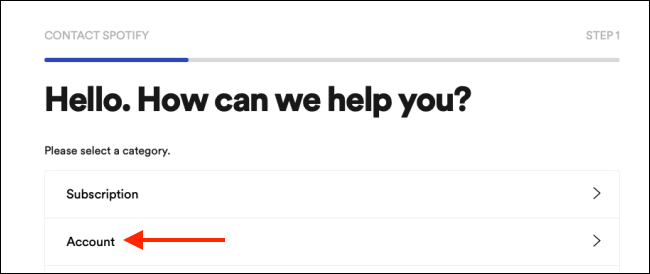
- Now, click the “Account” Option.
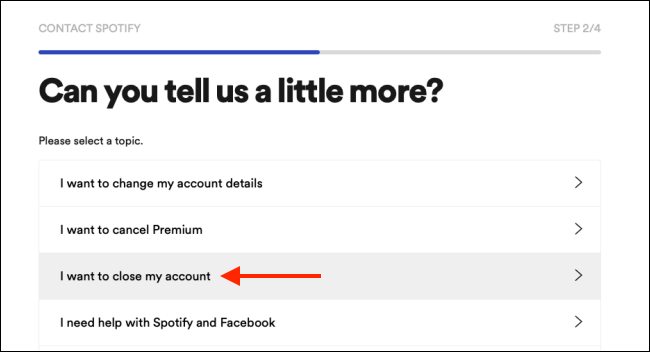
- Tap on “I want to close my account”.

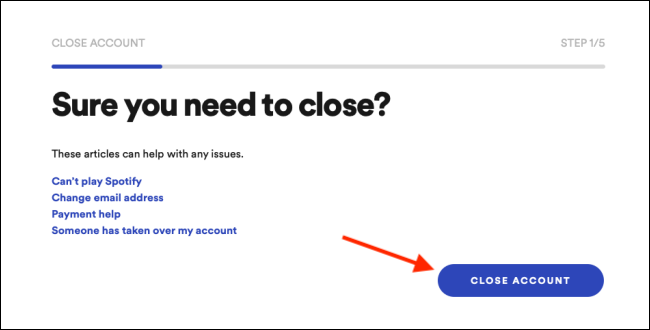
- Now click the “Close Account” option, which appears on the left of the screen, to start the deletion process.


- Now you will see a popup window that says “We feel sad that you want to leave us” and it begins the procedure to close your Spotify account in 5 steps.
- Tap on the “Continue” option, appears on the lower-left corner, so you can continue after each step.
- The first step asks you to Validate that you want to delete your Spotify Account permanently.

- Now, verify that you are logged into the correct account by clicking on the blue “Continue” option.


- You’ll see a warning from Spotify in step 3, that you’ll no longer access your playlists, follower, and the music saved in the library.


- Now check the “I Understand” box to agree that you recognize the concerns, and click on the continue option.

- On the next page tap on “Continue” again.
- Check the email on the account, you have registered Spotify with.

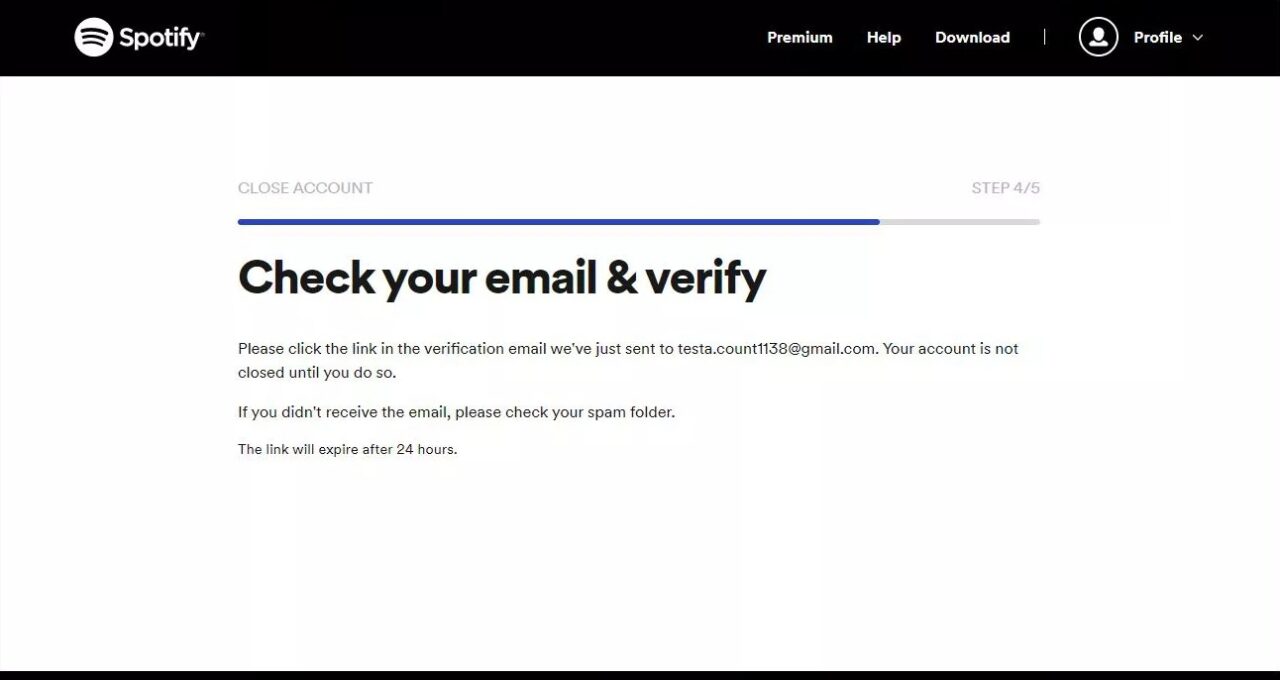
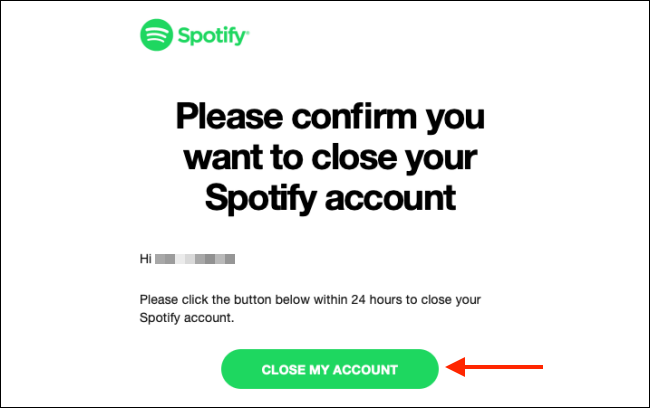
- Click on the received link, and click on the Close “My account” option.
- Now you’ll see a green button, click it within 24 hours of receiving email.

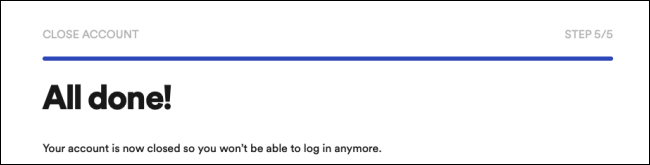
Note!
Recover the Spotify Account
Once the account is deleted you can get it back within 7 days of deletion, otherwise it would be gone FOREVER!
How to Cancel Spotify Premium
Once you cancel Spotify premium Subscription, it automatically reverts to a freemium account that no longer needs any additional charges. In this freemium facility, you will have access to the same playlists, and music. But with advertisements popping up in between the songs. There might be many possibilities that push you to cancel Spotify premium. Maybe you lose interest in music or you find another great app to get your account replaced. Or you don’t find any time to justify the spending you made on the premium version. The reason could be any, but if you have already decided to undo your decision of using a premium account or if you want to cancel your paid Spotify subscription, Follow these simple and quick guide to do so:
- Sign in to your Spotify account and click on your name on the top right, then click on account.


- Click on the Subscription option, on the account’s page.


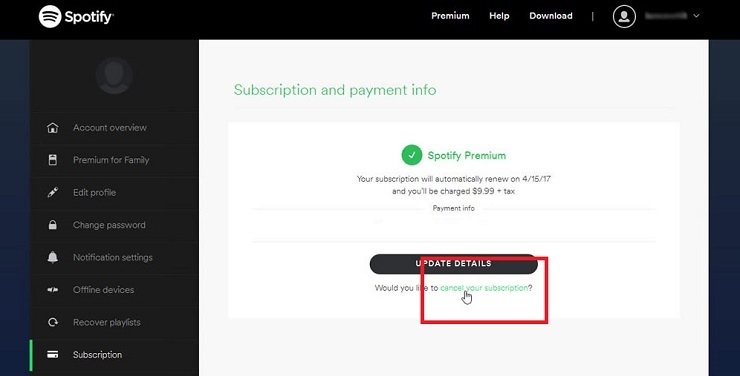
- To cancel your subscription click the link on the subscription and payment info page.

- Spotify inquires about why you want to cancel your subscription. Click on the appropriate response, and then click Continue.
- You’ll see another page in rejoinder to the reason you identified. Click on the link at the bottom of the page.
- Now, enter your password and click on the unsubscribe option.

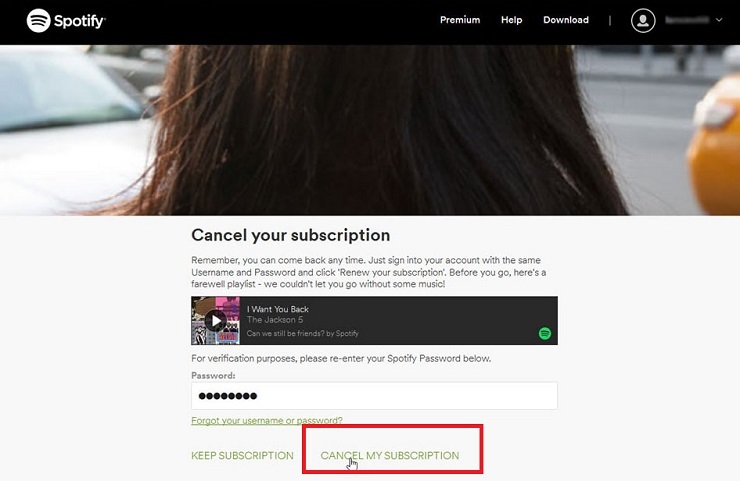
Now, the paid Spotify subscription is finally canceled. However, you still have the free version access.