


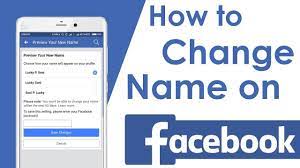
Do you want to change your Facebook username? Sometimes you need to change the profile name urgently but you are stuck. So if you want to know how to change your name on Facebook then this writing will be beneficial for you. However, Facebook is the biggest social networking app, about one billion people use this app.
As this is the largest social networking app so you just need to change your fake name into a real one. A real username is the identity of a person. People easily find out a person by writing their real name into the search bar. Every person above eighteen years old has their own account.
If you are an honorable person but you have a fake name account then it shows a bad impression on your personality as well as on your business. Follow some basic steps to secure your account by changing the username of your Facebook app.
Read Also: Restore deleted WhatsApp messages without backup
How to change your username on the Facebook Mobile app
The Facebook mobile app is used via mobile and it is just like the other apps, Instagram and WhatsApp. The Facebook app is downloaded by the play-store. You can install the app by searching the name of Facebook in the search bar. After downloading make an account with your real and nickname.
Some following steps to change your username on Facebook mobile apps are below. You may follow these steps for your ease.
- Install the Facebook app through the play store
- After downloading, open the Facebook mobile app on your iPhone and androids
- Go to the icon and click on it
- After clicking the three lines of the icon then go to “Setting and Privacy”
- Select the “Setting” option
- Choose the option of “Personal and Account Information”
- Select the “Name” bar and enter your real and desired nickname
- After writing the first, middle, and last name now select the option of “Review Change” blue color bar and click on it
- After previewing, your new name enter the password, and click on the blue bar of “Save Change”
After knowing how to change your name on Facebook, you make sure to manage your contact information and also verify your account for protection from spammers.
Also Read: How to make videos on TikTok like Celebrities!!
How to change your username on Facebook website
Website Facebook is the same as the android Facebook app. There is a small difference between using Facebook on a website. For websites, you need to log in to Facebook accounts through a browser. In this way, you don’t need to install the app on your laptop.
Follow the below steps to change your username on the Facebook website.
- Go to the Browser and open the website of Facebook
- After clicking on the Facebook website now log in to the account by giving all the details of your email or contact and password
- Go to the right upper corner and select the arrow icon named “Account”
- After clicking on the account icon go to the “Setting and Privacy”
- Select the “Setting” option
- Now open the “General Account Setting”
- Select the “Name” bar to edit
- Enter the first and surname
- Now click the blue bar of “Review Change”
- After click on the review change button, now enter the password and click on the blue button of “Save Change”
If you want to change your username then
- Go to the option of username which is present below the name option
- Write down the authentic name and click on the blue button of Save Change
Also Read: How to delete search history on Facebook Messenger
Why do you need to change your business name on Facebook
There are some reasons to change your business name on Facebook
Firstly, it shows the identity and reliability of your business because your business name shows brand consistency. For Example, if you have a cloth brand then choose a catchy name related to clothes. If you use the footwear name instead of clothes then it shows a very bad impact on your business.
Try to give an authentic name instead of a fake. Correct names help the customer to easily find out their requirements. The same case shows with your individual profile. If you are a boy then make a profile of your real name instead of a girl. If you are a girl then make a profile of your Authentic nickname.
Final words
Summing up the whole article you surely come to know about how to change your name on Facebook. Sometimes if you are unable to change the name then it means you have not followed Facebook policies. If you don’t follow Facebook policies then you can’t change the Facebook name.
Follow the steps of android and iPhone mobile to change the name and surely it will work great. So, your name is your identity everywhere in the world. You can search for any person in the world through Facebook by their real and nickname. I hope you will try to pursue these methods to change your personal name.